14 01 actions
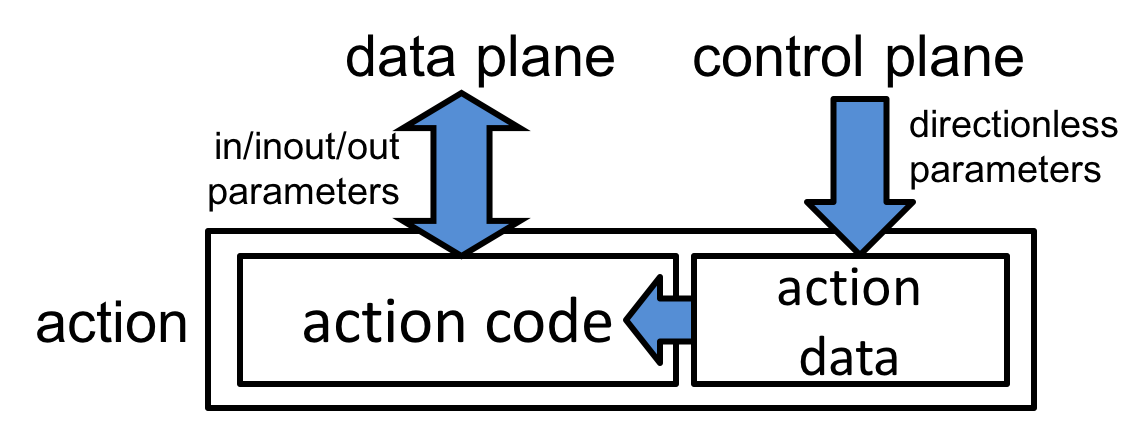
Actions are code fragments that can read and write the data being
processed. Actions may contain data values that can be written by the
control plane and read by the data plane. Actions are the main construct
by which the control plane can dynamically influence the behavior of the
data plane. Figure [#fig-actions] shows the abstract model of an
action.
actionDeclaration
    : optAnnotations ACTION name "(" parameterList ")" blockStatement
    ;
Syntactically actions resemble functions with no return value. Actions may be declared within a control block; in this case they can only be used within instances of that control block.
The following example shows an action declaration:
action Forward_a(out bit<9> outputPort, bit<9> port) {
outputPort = port;
}
Action parameters may not have extern types. Action parameters that
have no direction (e.g., port in the previous example) indicate
“action data.” All such parameters must appear at the end of the
parameter list. When used in a match-action table (see Section
Table action list, these parameters will be provided by the
table entries (e.g., as specified by the control plane, the
default_action table property, or the entries table property).
The body of an action consists of a sequence of statements and
declarations. No table, control, or parser applications can appear
within actions.
Some targets may impose additional restrictions on action bodies—e.g., only allowing straight-line code, with no conditional statements or expressions.
Invoking actions
Actions can be executed in two ways:
- Implicitly: by tables during match-action processing.
- Explicitly: either from a
controlblock or from anotheraction. In either case, the values for all action parameters must be supplied explicitly, including values for the directionless parameters. In this case, the directionless parameters behave likeinparameters.